Virgin Games App: iOS, Android and Mobile Casino
 Available in GB
Virgin Games currently offers a mobile casino app for iOS and Android in the UK. The official mobile-app page directs iPhone and iPad users to the App Store and Android users to Google Play. It also states that every game available on the Virgin Games website is available in the app, including slots, casino tables and live casino games, with account balance and bonuses synced across desktop and mobile. The UK App Store listing is live for iPhone and iPad and identifies the developer as Gamesys Limited. Players who do not want to install an app can still use the mobile website, so the main choice is between an installed app experience and browser access to the same account.
Table of Contents
- Virgin Games app availability
- Does the app have the full Virgin Games library?
- Account sync across desktop and mobile
- What can you play in the app?
- How to download the Virgin Games app
- App versus mobile browser
- Payments and withdrawals in the mobile experience
- Verification from mobile
- UK operator status and what it does – and does not – tell you
- What to check before installing
- Current source check
- Virgin Games app FAQ
Virgin Games app availability
| Platform | Current availability | Official route | What the current source confirms |
|---|---|---|---|
| iPhone and iPad | Available | Apple App Store | The UK App Store listing is live and lists iPhone and iPad support |
| Android | Available | Google Play | The official Virgin Games app page directs Android users to Google Play |
| Mobile browser | Available as an alternative to installing the app | Virgin Games mobile website | Uses the same Virgin Games account and web catalogue |
The current official app page describes installation as free and gives the same basic flow for both mobile platforms: open the relevant store, search for Virgin Games, select the official listing, install it, then sign in with existing account details. Minimum operating-system versions can change and should be taken from the current store listing when compatibility matters.
Does the app have the full Virgin Games library?
Yes, according to the current official product page. Virgin Games says every game available on the website is also available in the app. It specifically names online slots, classic casino games and live casino games, and says the mobile catalogue is not a stripped-down version of the website.
That claim is useful because casino apps can sometimes have a narrower catalogue than desktop sites due to platform or supplier differences. Virgin Games is currently presenting its app as a full-library companion rather than a limited mobile subset. For catalogue depth and provider context, use the separate Virgin Games games guide instead of treating the app page as a complete game inventory.
The Virgin Games slots and Virgin Games live casino sections cover game selection; mobile use centres on what carries over when the same account is used on a phone or tablet.
Account sync across desktop and mobile
Virgin Games says balance, preferences and bonuses stay up to date between desktop and mobile. In practical terms, the app is another access point to the same account rather than a separate mobile profile. A player can sign in with existing Virgin Games details instead of creating a second account for the app.
That shared-account model also means account controls are not isolated by device. Payment history, verification requests, balances and responsible-gambling controls relate to the account itself. Switching from browser to app does not create a fresh set of limits or a separate wallet.
For new users, the Virgin Games registration page explains account setup and eligibility. Existing users can install the app and log in with the credentials already used on the website.
What can you play in the app?
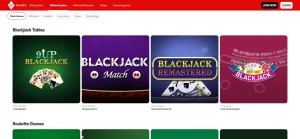
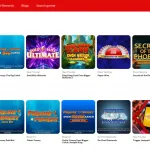
The official mobile page groups the app catalogue into slots, casino games and live casino games. Slots include the broader machine-style catalogue, while casino tables cover games such as blackjack and roulette. The live section streams dealer-hosted table games to the device. Virgin Games also maintains a separate bingo product area, and the current bingo section supports 75-ball, 80-ball and 90-ball formats alongside special rooms and jackpot games.
Live inventories change, so specific tables and room names are treated as current examples. The more durable point is feature parity: Virgin Games currently says its website games carry over to the mobile app, and its current product pages show slots, table games, live casino and bingo as active parts of the wider offering.
For bingo-specific formats, see Virgin Games bingo.
How to download the Virgin Games app
- On iPhone or iPad, open the Apple App Store. On Android, open Google Play.
- Search for Virgin Games and choose the official listing or use the download route on the Virgin Games mobile-app page.
- Install the app through the store.
- Open it and sign in with the same Virgin Games account details used on the website.
- Check that the balance and account information match before making a payment or starting play.
The official page also provides a QR-code route. A direct store listing is preferable to downloading an installation file from an unrelated third-party website because it makes the source and site owner easier to verify.
The current UK App Store listing is titled “Virgin Games: Real Money Slots” and identifies Gamesys Limited as the developer. Its presence provides an independent platform-level confirmation that the iOS app is currently distributed through Apple’s UK store.
App versus mobile browser
| Question | Installed app | Mobile browser |
|---|---|---|
| Installation | Requires an App Store or Google Play install | No installation; open the website in a browser |
| Account | Uses the existing Virgin Games account | Uses the same account |
| Game access | Official page says the full website library is available | Accesses the website catalogue directly |
| Updates | App updates are distributed through the store | Site changes appear through the web service without an app update |
| Storage | Uses device storage | No dedicated app installation |
Neither route changes the underlying account. The app can be convenient for people who want a dedicated icon and store-managed mobile software, while the browser avoids installation. The useful comparison is therefore about access preference, not about one route being inherently better or safer.
Payments and withdrawals in the mobile experience
The official app page says payment details and account balances are available across the mobile experience and that account information syncs between desktop and mobile. It also tells users they can submit verification documents from the app. The payment rules themselves, however, are account rules rather than app-specific rules.
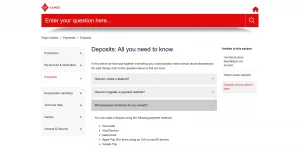
That means the £10 deposit minimum, current supported funding routes and withdrawal processing windows do not become different just because the transaction is initiated on a phone. For current banking routes and account-limit context, use the Virgin Games payment methods guide.
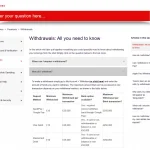
Likewise, a withdrawal requested through mobile still follows the same closed-loop and verification logic described in the payment help centre. The app is an interface to the account rather than a separate payment product.
Verification from mobile
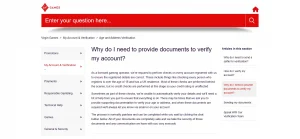
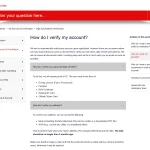
Virgin Games says players can securely upload requested documents inside the app. Its separate verification help explains that accounts are initially checked automatically where possible and that additional documents can be requested to confirm details such as name, date of birth and address.
The important mobile point is not a fixed document checklist. The account message or verification email should determine what is required in an individual case. Device access can make uploading a photograph or document convenient, but the verification requirement itself is tied to the account, not to whether the player uses the app or browser.
Detailed document handling belongs on the account-verification page rather than here. Mobile access also allows account checks to continue when the operator requests them.
UK operator status and what it does – and does not – tell you
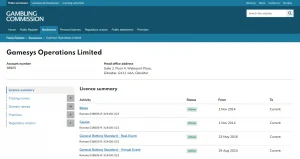
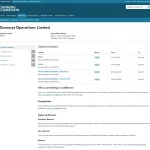
Virgin Games is operated by Gamesys Operations Limited on the current site footer. The UK Gambling Commission public register lists Gamesys Operations Limited under account 38905 and shows the remote casino licence 038905-R-319430-022 as active. The register also lists virgingames.com as a white-label domain under that account.
Those records establish the current Great Britain licensing relationship. Licensing status and app capabilities answer different questions: regulatory status describes authorisation, while app capability describes product access and features.
What to check before installing
- Use the official Virgin Games page or the recognised Apple App Store or Google Play route.
- Check the developer and branding on the store listing before installing.
- Do not rely on an old device-version requirement copied from a review; use the current store listing for compatibility.
- Sign in to the same account rather than creating duplicate accounts across devices.
- Check account limits and verification messages after signing in, especially before making a payment.
- If storage or installation is inconvenient, use the mobile website instead.
This checklist focuses on source verification and account continuity. It avoids making claims about speed, battery use or device performance that depend on hardware, operating-system version, connection quality and future app updates.
Current source check
Information was verified on 29 September 2026 against the official Virgin Games mobile-app page, the live UK Apple App Store listing and the UK Gambling Commission public register. The official product page currently confirms iOS and Android availability, full game-library parity and account syncing. The App Store listing independently confirms current iPhone and iPad distribution in the UK.
Device requirements, store metadata and app features can change through releases. Exact operating-system minimums come from the live store listing, while store ratings are kept separate from factual app capabilities. The live store listing should be used if exact compatibility is needed at publication time.
Virgin Games app FAQ
Is there a Virgin Games app for iPhone?
Yes. The current UK App Store listing is live for Virgin Games and lists iPhone and iPad support.
Is there a Virgin Games Android app?
Yes. The official Virgin Games mobile page currently directs Android users to Google Play.
Are all website games available in the app?
Virgin Games currently says every game available on its website is also available in the app, including slots, casino games and live casino games.
Do I need a separate mobile account?
No. The app uses the existing Virgin Games account, and the official page says balance, preferences and bonuses sync between desktop and mobile.
Can I use Virgin Games on mobile without installing the app?
Yes. The mobile website remains an alternative for accessing the same account without a dedicated installation.
For related information, see Virgin Games review.